Last updated: April 2, 2026
Quick Answer: Voice-activated Suno AI in Instagram voice notes: superfan-driven song evolution for viral drops describes a workflow where artists invite fans to submit vocal ideas through Instagram DMs, run those recordings through Suno AI’s voice and custom model features, and share the evolving track back in group chats. The result is a song fans feel they co-created, which drives organic sharing and positions the final release for viral momentum.
Key Takeaways
- Suno v5.5’s “Voices” feature lets artists upload or record vocals and generate AI songs from those inputs, with each voice kept private to the owner [1][4].
- No official Suno-Instagram integration exists yet. This workflow uses a manual bridge: fans send voice notes via DM, and artists feed those recordings into Suno externally [9].
- Custom Models in Suno v5.5 allow Pro/Premier subscribers to train AI on their own musical style, keeping output consistent with their brand [1][4].
- Superfan co-creation builds ownership. When fans hear their melody or lyric idea in a track, they become promoters, not just listeners.
- Instagram broadcast channels and group chats are the ideal distribution layer for sharing evolving drafts and building anticipation before a public drop.
- Suno v5.5 outputs broadcast-quality 48kHz audio up to 4 minutes, with an estimated 40% improvement in prompt accuracy over previous versions [4].
- Privacy matters. Suno’s Voices feature ensures uploaded voices stay private to the account holder, so fan vocal samples require separate consent and handling [1].
- This strategy works best for artists with 500+ engaged followers who already have active DM conversations or broadcast channels.
What Is Voice-Activated Suno AI in Instagram Voice Notes: Superfan-Driven Song Evolution for Viral Drops?
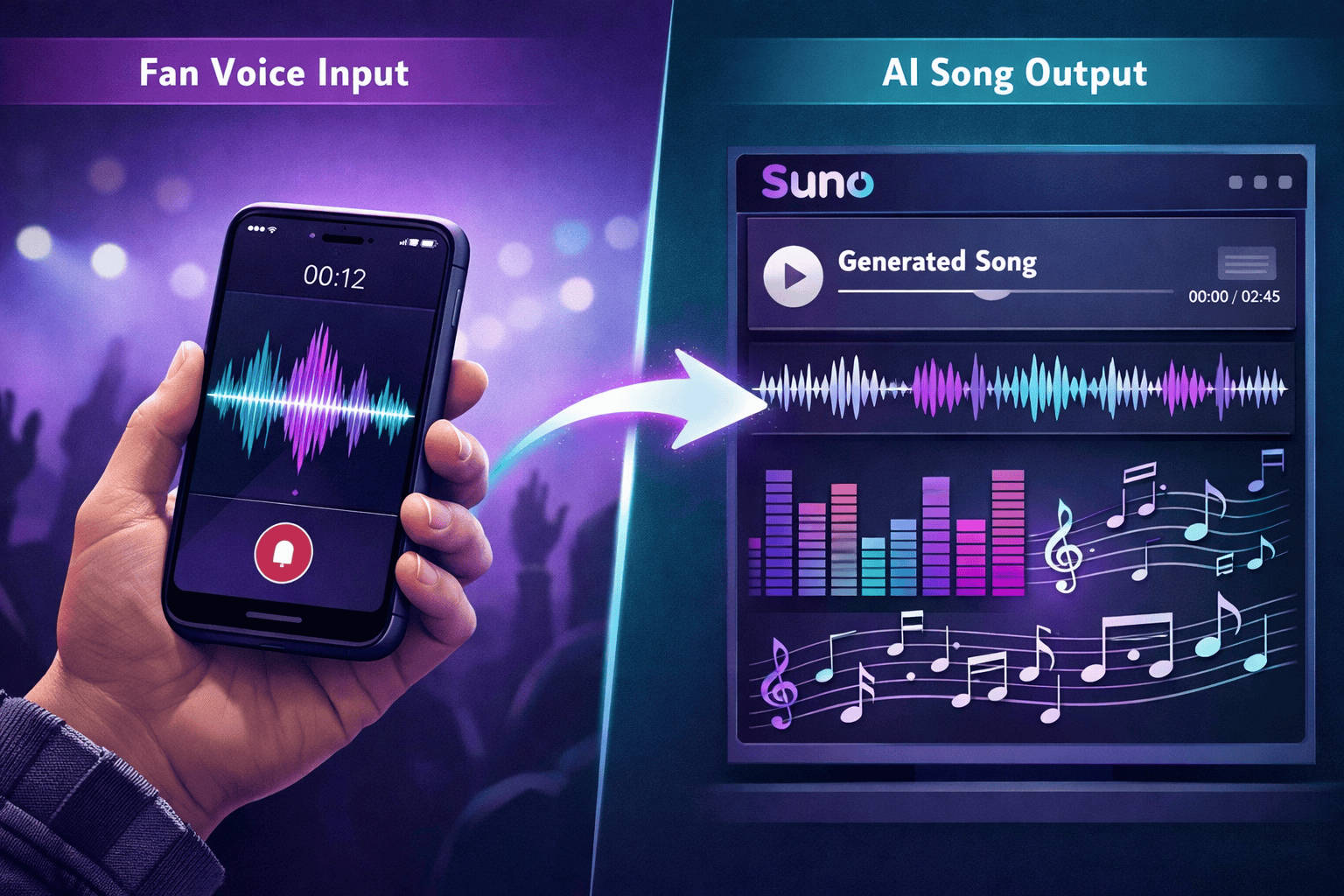
It’s a fan engagement strategy that turns passive listeners into active collaborators. Artists collect voice notes from superfans through Instagram DMs, process those vocal ideas through Suno AI’s song generation tools, and share iterative versions of the track in broadcast channels or group chats before the official release.
The concept sits at the intersection of three trends in 2026:
- AI music generation reaching studio-quality output with tools like Suno v5.5 [4]
- Instagram’s push toward DM-first engagement, including voice notes and broadcast channels
- The superfan economy, where deeper fan participation drives both loyalty and revenue
Midia Research analyst Mark Mulligan has argued that fans who create with AI tools represent deeper engagement than passive streaming. This workflow channels that creative energy directly into an artist’s release strategy.
For a deeper look at using AI voice tools on Instagram, see our guide on AI voice notes on Instagram.
How Does the Suno v5.5 Voices Feature Actually Work?
Suno released version 5.5 on March 26, 2026, with a feature called “Voices” that lets users upload or record their own singing or rapping voice [1][4]. The system verifies identity by asking the user to match a prompted phrase. Once verified, that voice becomes a private asset only the owner can use for song generation.
Key technical details:
- Audio quality: 48kHz broadcast-quality output, up to 4 minutes per generation [4]
- Custom Models: Pro and Premier subscribers can train up to three personalized AI models on their own music style [1][4]
- Privacy: Voices are locked to the owner’s account. No one else can generate songs using that voice [1]
- My Taste: A recommendation system that learns genre and mood preferences, available to all users [1]
Important limitation: Suno’s Voices feature is designed for the artist’s own voice. Using a fan’s voice recording requires a separate workflow. The fan’s voice note serves as a melodic or lyrical reference, not a direct vocal clone. Artists who want to explore ethical voice cloning for collaboration can look into tools like Soundverse AI’s “DNA” feature [5].
For prompt-writing strategies that get better results from Suno, check out our complete guide to music prompts for Suno.

How Do You Build a Superfan Voice Note Pipeline on Instagram?
Start by identifying your most engaged fans and giving them a clear, simple way to contribute. Here’s a step-by-step process:
Step-by-Step Workflow
- Set up a broadcast channel or close friends group dedicated to the project. Announce that fans can send voice notes with melody ideas, lyric snippets, or vocal hooks.
- Collect voice notes via DM. Ask fans to record a short (5–15 second) voice note with a specific prompt, like “Sing or hum the chorus you’d want on my next track.”
- Feed ideas into Suno AI. Use the voice memo as creative direction. Translate the fan’s melodic idea into a Suno prompt, or use it alongside your Custom Model to generate a draft [9].
- Share the evolving track back in the broadcast channel. Post Version 1, ask for reactions, then iterate. Each round of feedback creates a new version.
- Credit contributors and drop the final track. Tag participating fans, share behind-the-scenes voice note clips in Reels, and release the finished song.
Common mistake: Asking for too much. Keep the prompt simple. “Hum 10 seconds of a vibe” works better than “Write a full verse.” Lower the barrier and participation goes up.
This approach pairs well with superfan segment strategies on Instagram and DM onboarding flows for new fans.

Why Does Superfan Co-Creation Drive Viral Drops?
Songs that fans helped build get shared more because people promote what they feel ownership over. That’s the core mechanic.
When a superfan hears their hummed melody transformed into a polished AI-assisted track, they don’t just stream it once. They screenshot the DM exchange, post it to Stories, and tell their friends. This is organic promotion that no ad budget can replicate.
What makes this different from a standard release:
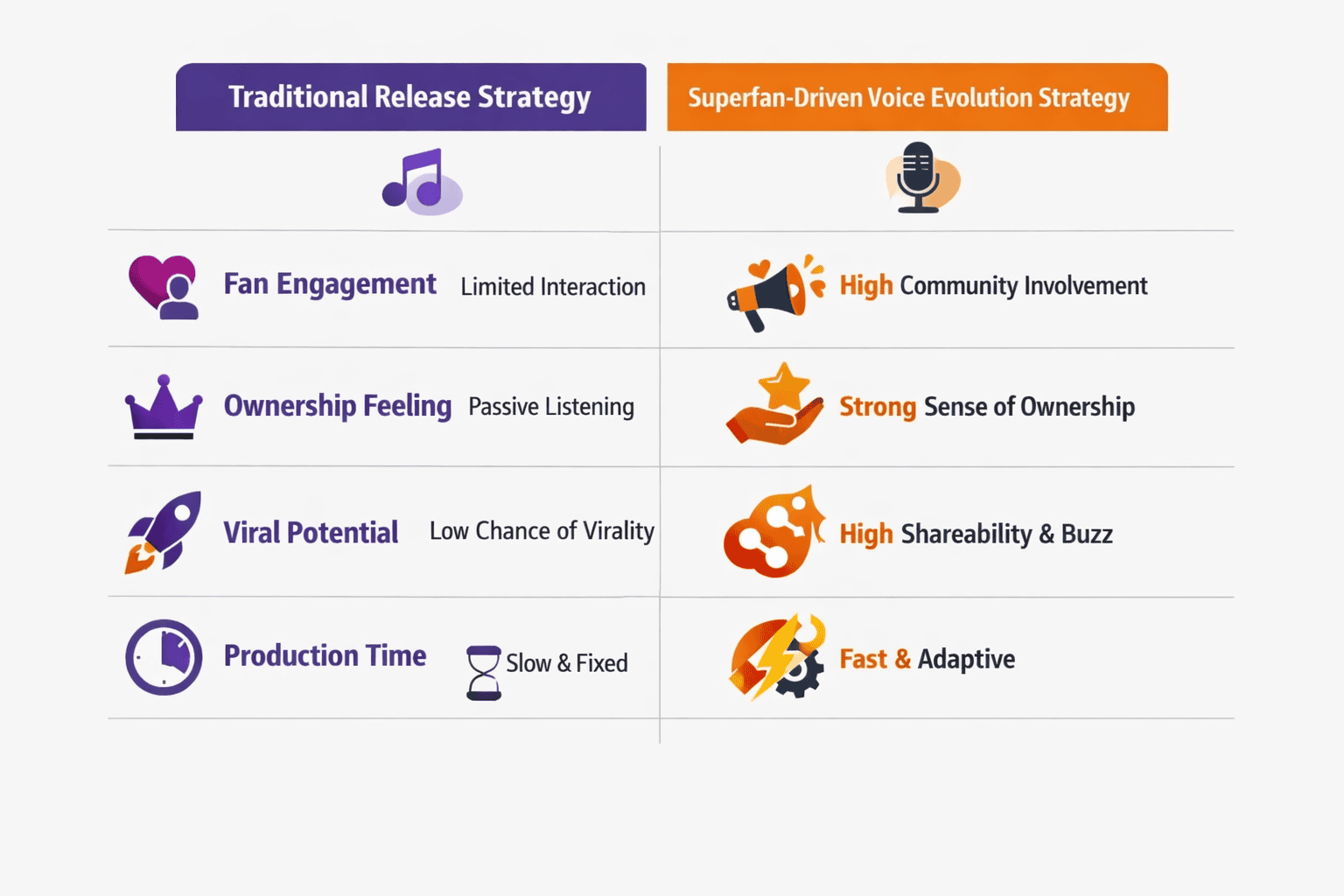
| Factor | Traditional Drop | Superfan Voice Evolution |
|---|---|---|
| Fan involvement | Passive (listen, save, share) | Active (submit ideas, vote, co-create) |
| Emotional investment | Moderate | High (personal contribution) |
| Organic sharing likelihood | Low to moderate | High (fans share “their” song) |
| Pre-release buzz | Relies on teasers and ads | Built into the creation process |
| Content generated | Artist-only | Fan + artist UGC |
Artists building superfan leaderboards on Instagram can layer this strategy by awarding points for voice note submissions, voting on versions, and sharing the final drop.

What Are the Risks and Limitations?
No native integration exists. As of April 2026, there is no direct Suno AI plugin inside Instagram. The workflow requires manual steps: downloading voice notes, importing into Suno, and re-uploading results. This adds friction.
Other considerations:
- Consent and rights. Always get clear permission before using a fan’s voice or idea in a released track. A simple DM confirmation works for informal projects, but anything monetized needs written agreement.
- Quality control. Not every fan submission will be usable. Build in a curation step so the final track reflects the artist’s vision.
- AI accuracy limits. Critics note that Suno’s Custom Models replicate patterns, not full artistic intent [1]. The output needs human editing and judgment.
- Scalability. This works best with a tight community (500–5,000 active fans). At larger scale, consider using gamified Instagram polls to narrow submissions before the voice note stage.
Choose this strategy if: you have an engaged DM community, you’re comfortable with AI tools, and you want to turn a release into a shared experience rather than a one-way announcement.
Skip it if: you have minimal DM engagement, you’re uncomfortable with AI-generated music, or you need full creative control without external input.
For broader strategies on turning fan engagement into revenue, explore the Superfan Sponsorships & Monetization Guide.
Conclusion
Voice-activated Suno AI in Instagram voice notes: superfan-driven song evolution for viral drops isn’t a plug-and-play feature yet. It’s a creative workflow that connects real fan input with AI music generation to build songs people feel invested in sharing. The tools exist today: Suno v5.5’s Voices and Custom Models handle the production side [1][4], and Instagram’s DMs and broadcast channels handle the community side.
Actionable next steps:
- Open a broadcast channel for your next release and announce a voice note challenge.
- Set up a Suno account (Pro tier recommended) and train a Custom Model on your style.
- Collect 10–20 fan voice notes, pick the strongest ideas, and generate your first draft.
- Share the draft in your channel, iterate based on feedback, and credit contributors in the final release.
The artists who win in 2026 aren’t just making music for fans. They’re making music with them.
FAQ
Q: Is there an official Suno AI integration with Instagram? A: No. As of April 2026, no direct integration exists. The workflow requires manually transferring voice notes from Instagram DMs into Suno’s platform [9].
Q: Can I use a fan’s actual voice in a Suno-generated track? A: Suno’s Voices feature is private to the account owner [1]. A fan’s voice note serves as creative reference material, not a direct vocal input. For ethical voice cloning, tools like Soundverse AI offer alternatives [5].
Q: What Suno subscription do I need? A: Custom Models require a Pro or Premier subscription. Basic song generation is available on lower tiers, but the personalization features that make this strategy work need Pro access [1][4].
Q: How long should fan voice notes be? A: Keep submissions between 5 and 15 seconds. Shorter clips are easier to process and more likely to yield usable material.
Q: Do I need to credit fans who contribute voice notes? A: For informal community projects, a shoutout in Stories or the broadcast channel is standard. For monetized releases, get written permission and consider a credit or small royalty split.
Q: What genres work best with this approach? A: Pop, hip-hop, R&B, and EDM translate well because Suno v5.5 handles these genres with strong prompt accuracy [4]. Acoustic and experimental genres may need more manual editing.
Q: How do I handle low-quality submissions? A: Build a curation step. Use polls in your broadcast channel to let fans vote on the best submissions before generating tracks.
Q: Can this strategy work with fewer than 500 followers? A: It can, but the volume of quality submissions will be lower. Focus on your most active DM contacts and treat it as a small-scale experiment.
References
[1] Suno Adds Voices Custom Models – https://routenote.com/blog/suno-adds-voices-custom-models/ [4] Suno – https://blakecrosley.com/guides/suno [5] How To Make Suno Use Your Voice 0428 – https://www.soundverse.ai/blog/article/how-to-make-suno-use-your-voice-0428 [9] From Voice Memo To Finished Song Using Suno Ai Step By Step Workflow – https://jackrighteous.com/en-us/blogs/guides-using-suno-ai-music-creation/from-voice-memo-to-finished-song-using-suno-ai-step-by-step-workflow